Skip to Content

FREE 2-DAY SHIPPING*

Search
The Camera Box 0
The Camera Box
  • Search
  • My account
  • 0 You have 0 items in your cart

My shopping cart

Your cart is currently empty.

Continue Shopping
Home
Hit space bar to expand submenuCamera & Photo
  • DSLR Cameras
  • 360° Cameras
  • Digital Cameras
  • Underwater Cameras
Hit space bar to expand submenuLenses & Accessories
  • Lenses
  • Filters
Hit space bar to expand submenuMedia Players & Accessories
  • MP3 PLAYERS
  • Headphones
  • Amplifiers
Hit space bar to expand submenuPhoto Accessories
  • Bags & Cases
  • Tripods & Supports
  • Viewfinders
Hit space bar to expand submenuOptics
  • Binoculars
  • Spotting Scopes
Hit space bar to expand submenuPro Audio
  • Microphones
  • Wireless Mic Systems
  • Speakers
  • Pro Audio Accessories
About Us
Contact Us

© 2026 The Camera Box

DISABLED

  1. Home
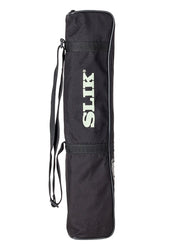
  2. SLIK Mini Pro DQ 2-Section Table-Top Tripod - Black
Zoom image
SLIK Mini Pro DQ 2-Section Table-Top Tripod - Black

SLIK Mini Pro DQ 2-Section Table-Top Tripod - Black

  • $39.95
 
 
This item is a recurring or deferred purchase. By continuing, I agree to the cancellation policy and authorize you to charge my payment method at the prices, frequency and dates listed on this page until my order is fulfilled or I cancel, if permitted.
  • 8.9" Maximum Height
  • Twist Locks for Legs
  • Rapid Center Column
  • Folds to Just 8.1" Long
  • Weighs Just 0.77 lb

The SLIK MINI PRO DQ uses the successful MINI PRO legs with an all-metal compact ball head that has a quick release plate to make attaching and detaching the camera from the tripod quick and simple. When retracted and closed, the SLIK MINI series tripods are about the size of standard telephoto lens, meaning they can be carried in your camera bag all the time so tripod support is always at hand! Besides its traditional use as a tripod, the SLIK MINI PRO III has another great feature, the ability to use the tripod as a “Chest-Pod” camera support. To use it as a chest-pod, first loosen the locking collar around the center column, pull out (raise) the center column at least one inch and tighten. Then, with the legs spread, place the feet of the legs against your upper chest. Loosen the tripod head and position the camera so you can see through the viewfinder comfortably. This will better stabilize the camera and help avoid image degrading “camera shake.

Smart Tabs
  • Tags: Camera & Photo Photo Accessories Tripods & Supports
Share Tweet Share Pin it

About Us

Goldex Ltd.
Sales: 888-504-1271
Customer Service: 718-387-0069

Warehouse Address:
(For Order Pickup Only)
 
307 Rutledge St.
Brooklyn, NY 11211

Customer Service

  • About Us
  • Privacy Policy
  • Authorized Dealers
  • Shipping & Returns
  • Terms of Service
  • Refund policy

Newsletter

Take 5% off your purchase when you sign up.

©The Camera Box. 2019